 NK Eagle Eye™ · Online tests
Online test for junior colleges, with instant analysis
By NK Sir – Organic Chemistry teacher, 27 years, Shiksha Ratna 2026
A weekly test should not end with a number on a sheet. With NK Eagle Eye, students write a JEE Main-style online test on their own phone, see their marks the moment they submit, and get a chapter-by-chapter analysis with practice for their weak topics. Teachers and the management see the whole class at a glance.
What students see
Screens from the app, with a sample student.
-
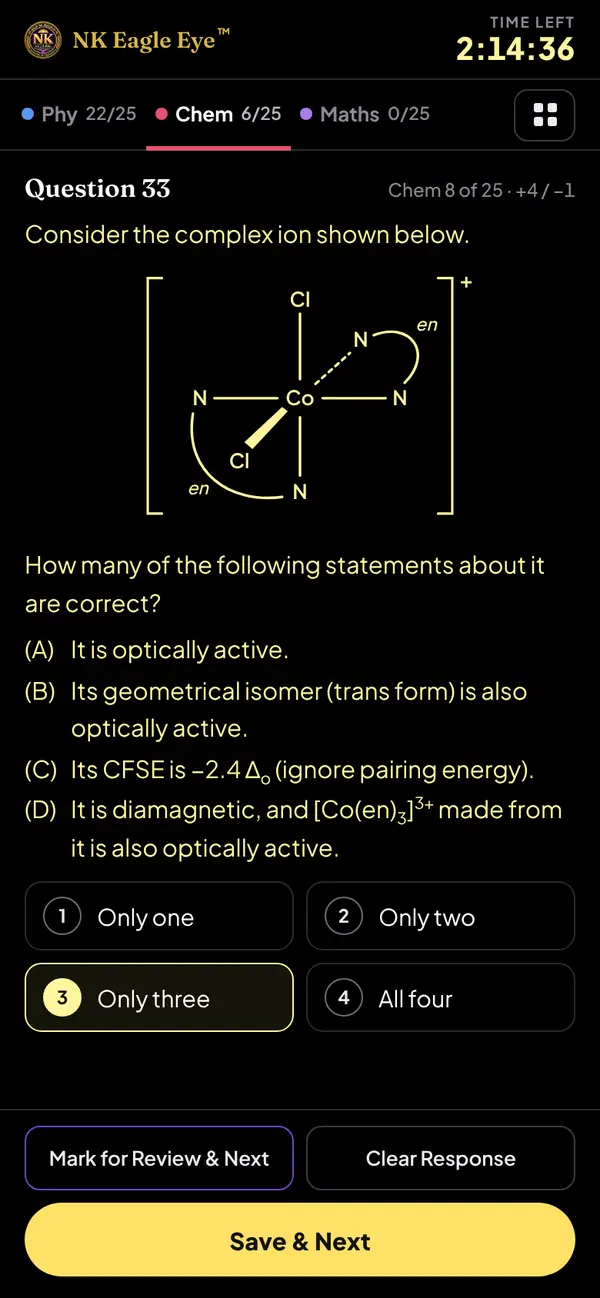
An exam screen like JEE Main
A calm black screen with soft-yellow questions and white options – the same layout as the real JEE Main: subject tabs, question palette, Mark for Review, Clear Response, Save & Next, +4 / −1.
Diagrams are drawn neatly on the screen, in every subject. Students write on their own phone at home, or on a computer.
-
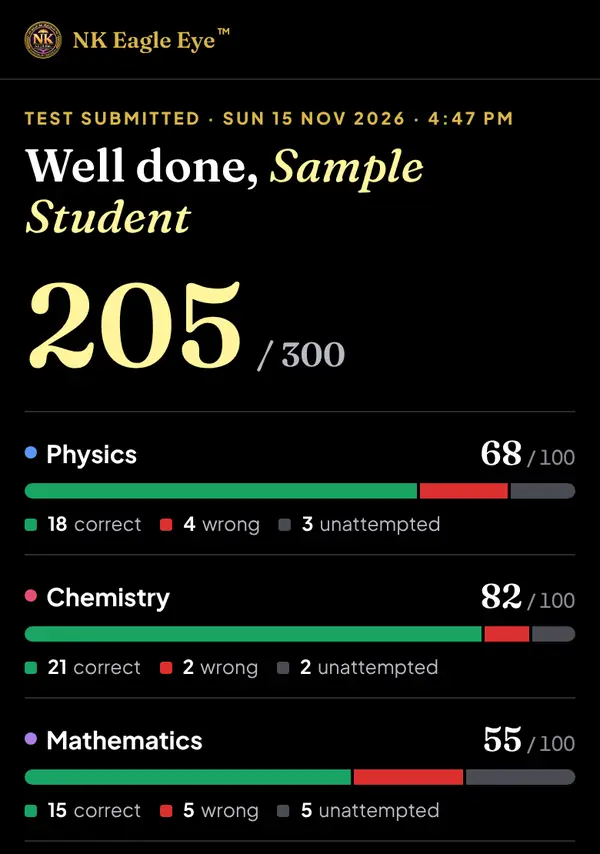
The result, the moment they submit
Marks out of 300 appear the moment the test is submitted, with correct, wrong and unattempted counts for Physics, Chemistry and Maths.
-
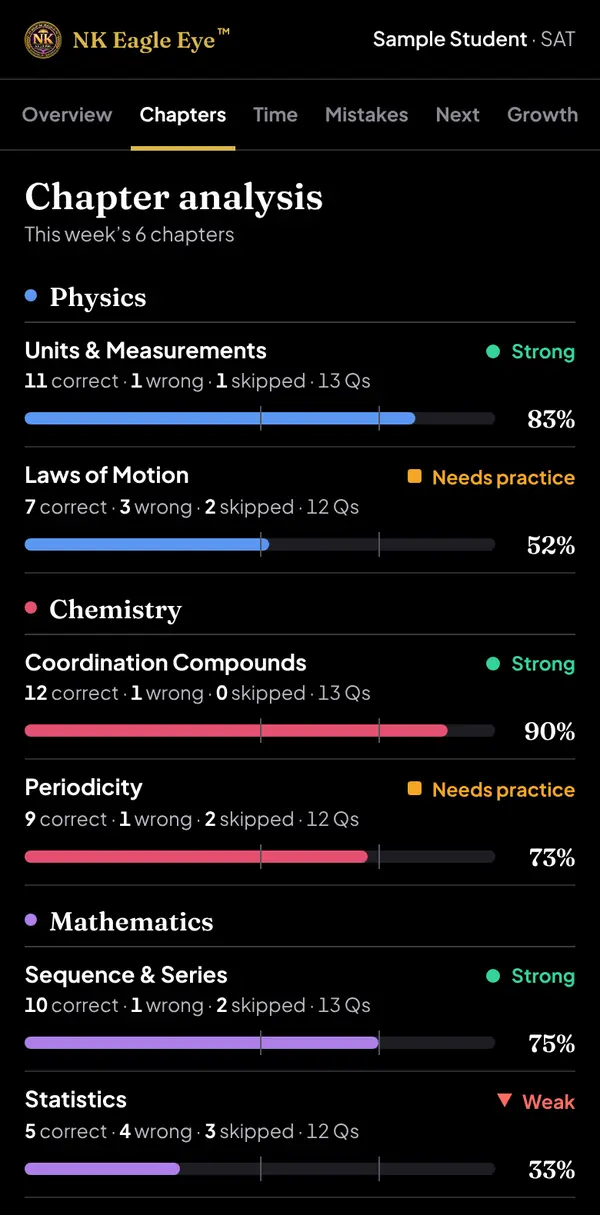
Chapter by chapter
Every chapter of the week gets its own score and a clear label – Strong, Needs practice or Weak – so the student knows where the marks went.
-
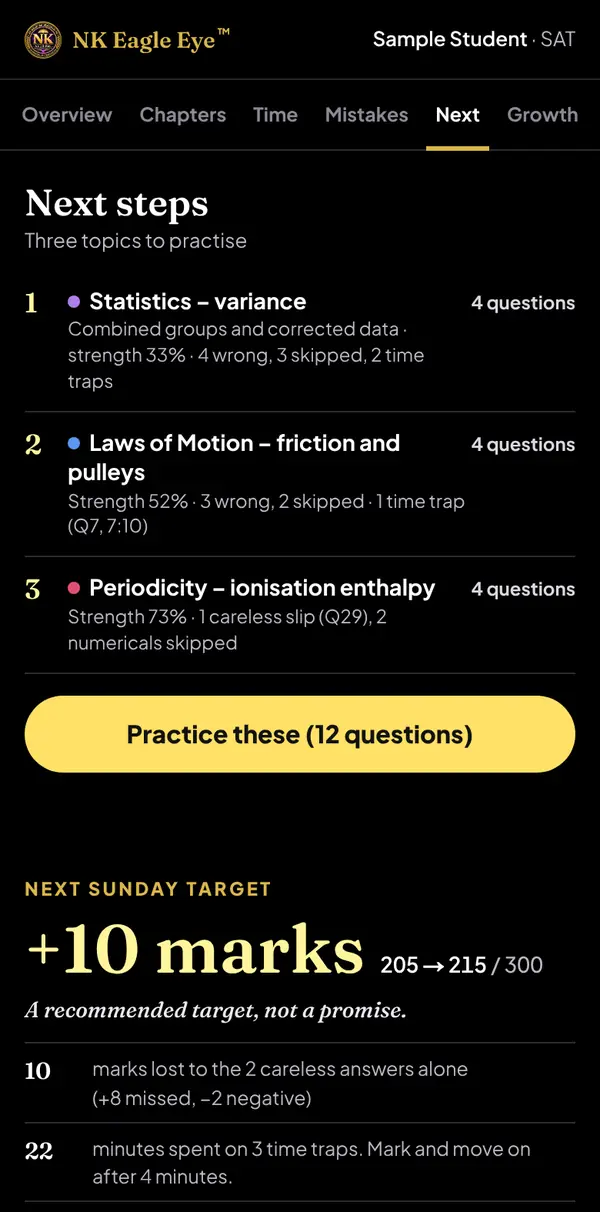
Practice for the weak topics
The app picks the three topics to practise first and gives the questions for them – on the same black exam screen.
It also sets a fair target for the next test, with the marks lost to careless answers and time traps.
-
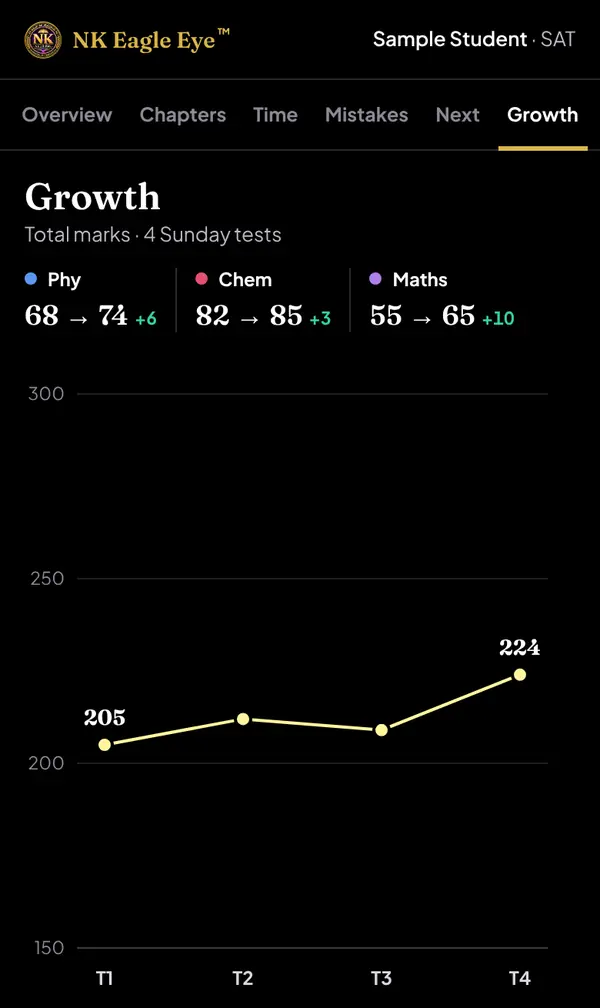
Growth, test after test
A simple graph shows the total marks over the weeks, with the gain in each subject – so students, parents and teachers see the progress at a glance.
What teachers and management see
Marks for the whole class
Every student’s marks, subject by subject, as soon as the test ends.
Weak chapters of the class
Which chapters the class lost marks in, so the next class starts where it matters.
Who wrote and who did not
See which students wrote the test – parents can check it too, with their own login.
Growth over the weeks
Class and section progress from test to test, on one screen for the management.
Student, parent and management views: with Version 1.0, from 1 Jan 2027
Fair rules for every test
- 3
leaves = auto submit
Leaving the exam screen is counted. After the third time, the test is submitted on its own.
- After
the time ends – solutions
Solutions open only when the test time is over for everyone, so no answer can be passed around.
Questions colleges ask
Can students write the test on their phone?
Yes. Students write at home on their own phone, or on a computer, with their own login.
Is the screen like JEE Main?
Yes. Subject tabs, question palette, Mark for Review, Clear Response and Save & Next work like the real JEE Main screen, with +4 / −1 marking.
What if a student leaves the exam screen?
Each leave is counted and the student is warned. On the third leave the test is submitted automatically.
When do students see the solutions?
The marks show the moment they submit. Solutions open only after the test time ends for everyone.
How do colleges get it?
Write to [email protected] and NK Sir’s team will reply with a demo for your college.
See it for yourself
Open the app, or write to NK Sir’s team for a demo at your college.
Open NK Eagle Eye [email protected]